Contact Us Service and Support: 800-367-3165
Hours
Phone
Fax
E-Mail
7:00 AM to 4:30 PM PST
800-367-3165
310-886-8029

Best for these situations:

Auto Geometry Engine
The Auto Geometry Engine (A.G.E.) is powerful software that automatically fills in missing print dimensions as you program. It is CAD capability embedded into CNC programming.
With A.G.E. you can make easy work out of programming incomplete prints or part sketches like the ones below. The A.G.E. doesn't take more time to use, it works automatically as you program.

Tool Path Graphics
The ProtoTRAK relieves you from the chore of programming the tool path, but you will still be interested in seeing where the control is planning to move the tool. Colors, error messages and selectable views make it easy to check your program before you machine.
Profiles and Pockets
Programming pockets and profiles of all shapes is a breeze with powerful canned cycles.
Networking
The ProtoTRAK may be networked with other ProtoTRAKs or with a server. This allows you to file, share or back-up programs right from your machine. Centralized file management helps assure revision control. Efficient file-sharing allows collaboration without time spent communicating between departments.
Spreadsheet Editing
View data for your whole program all at once. Sort and make changes to whole groups of events with one press of a button. This is much more convenient than either moving through your program one event at a time or picking through a long list of G Codes.

Advanced File Management
The ProtoTRAK borrows the Windows® functionality and adds a couple of clever twists. File management is enhanced by the ability to access different drives, copy and rename files and look at the part graphics before opening the file. Backing up part programs is easy with the automatic back up routine.

Run-Time Clock
In the run mode, the ProtoTRAK will display the time remaining until the next time the control is programmed to stop for a tool change. You know how long it will be before the job will need attention from you.
Control Hardware
Two or three-axis CNC, three-axis DRO
Real handwheels for manual operation
10.4" color active-matrix screen
Industrial-grade Pentium® processor
512 MB Ram
4 USB connectors
RJ45 port and Ethernet card (O)
Override of program feedrate
Override of program spindle speed (O)
LED status lights built into display
USB thumb drive flash memory 512 MB or more
Uncluttered front panel with few hard keys
Software Features – General Operation
Clear, uncluttered screen display
Prompted data inputs
English language – no codes
Soft keys - change with context
Windows® operating system
Selectable two or three-axis CNC
Color graphics with adjustable views
Inch/mm selectable
Convenient modes of operation (see below)
DRO Mode Features for Manual Machining
Incremental and absolute dimensions
Jog at rapid with override
Powerfeed X, Y or Z
Do One CNC canned cycle
Go To dimensions (O)
Teach-in of manual moves
Servo motor return to 0 absolute
Spindle speed setting with override (O)
Tool offsets from library
Fine/Course handwheel resolution (O)
Program Mode Features
Geometry-based programming
Tool path programming (O)
Scaling of print data (O)
Multiple fixture offsets (O)
Programmable Auxiliary functions (O)
Event comments (O)
Three-axis Geometry conversational programming (O)
Incremental and absolute dimensions
Automatic diameter cutter comp
Circular interpolation
Linear interpolation
Look – graphics with a single button push
List step – graphics with programmed events displayed
Alphanumeric program names
Canned cycles:
Programmable Spindle Speeds (O)
Program pause
Conrad – automatic corner radius
Math Helps with graphical interface
Auto load of math solutions
Tool step over adjustable for pocket routines
Pocket bottom finish pass
Selectable ramp or plunge cutter entry
Subroutine repeat of programmed events
Nesting
Rotate about Z axis for skewing data
Mirror of programmed events (O) Copy (O)
Copy Drill to Tap Event (O)
Copy Rotate (O)
Copy Mirror (O)
Auto Geometry Engine™ (O)
Edit Mode Features
Clipboard to copy events between programs (O)
Spreadsheet editing (O)
Global data change (O)
G-Code editor (O)
Set Up Mode Features
Program diagnostics
Advanced tool library
Tool names
Tool length offset with modifiers
Advanced diagnostic routines
Software travel limits
Tool path graphics with adjustable views
Program run time estimation clock (O)
Run Mode Features
Trial run at rapid
3D CAM file program run
3D G Code file run with tool comp
Model tool path verification (O)
Real time run graphics with tool icon
Countdown clock to next pause or tool change (O)
TRAKing of programs during program run (O)
Program In/Out Mode Features
Simple program storage to floppy
CAM IN program converter
CAM OUT converter to run ProtoTRAK programs on different controls (O)
Converter for prior-generation ProtoTRAK programs
DXF / DWG Converter (O)
Selection of file storage locations
Automatic file back up routine
Preview Graphics for unopened files
Networking via RJ45 port (O)
Program Storage to USB Flash Drives
(O) - Option
Advanced Features with Verify Option
Verify
Auto Geometry Engine™
Spreadsheet editing
Global data change
Scaling of print data
Multiple fixture offsets
Event comments
3-axis conversational programming
G Code editor
Program run time estimation clock
Additional Canned Cycles:
Mirror of programmed events
Copy with or without offsets
Copy Rotate
Copy Mirror
Clipboard to copy events between programs
DXF File Converter
Import and convert CAD data into ProtoTRAK programs
DXF or DWG files
Chaining
Automatic Gap Closing
Layer control
Easy, prompted process you can do right at the machine
Parasolid File Converter
Import and convert Parasolid 3D CAD files into ProtoTRAK programs
Intuitive 3D model
Interactive, prompted selection of geometry
Event groups
Chaining
Networking Option
Networking via RJ45 port
CAM OUT Converter
Auxiliary Functions Option
Program control of coolant
Spindle off
Output to programmable indexer or rotary table

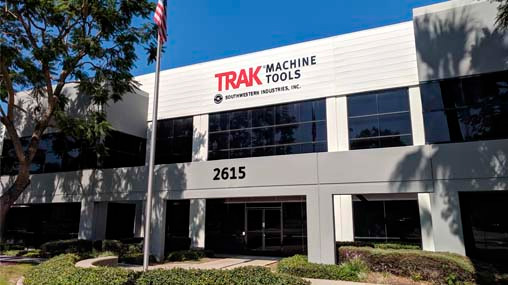
2615 Homestead Place
Rancho Dominguez, CA 90220
310-608-4422
Since 1963, Southwestern Industries, Inc. has been an industry leader in innovative products for machinists' productivity. Our engineering, manufacturing and corporate headquarters are housed in 130,000 sq. ft. facilities in Southern California. We employ a large field organization of factory-direct sales, service and management personnel throughout North America.